PubNub Insights — Analytics Platform
Turnkey analytics tool for real-time data streaming — designed the Analyze with AI feature that drove 30% of Standard users to upgrade to Premium
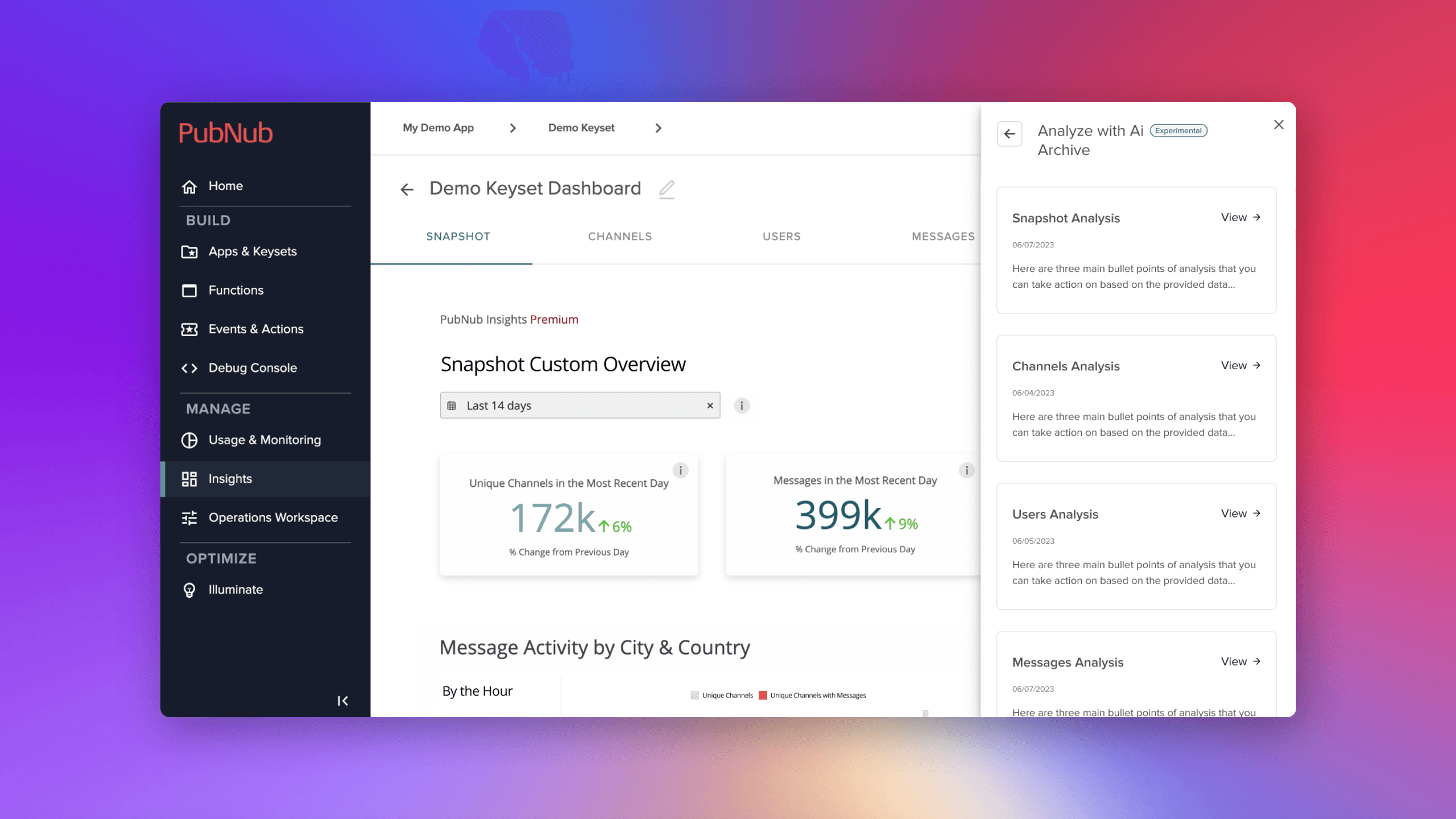
Designed and shipped the "Analyze with AI" feature for PubNub Insights — a turnkey analytics tool for real-time data streaming. Built from zero-to-one in 2 sprints, this generative AI integration helped customers digest their data into actionable takeaways and drove 30% of Standard users to upgrade to Premium.
Background
PubNub's platform was built for developer workflows — and it did that really well. The existing platform allowed users to build with PubNub's real-time messaging infrastructure, but the experience was developer-centric by design.
Insights was born from the idea of broadening the platform beyond just being a build tool. Customers who were already streaming data through PubNub needed a turnkey way to understand that data — without stitching together external analytics tools.
The Customer Problem
As customers started adopting Insights, we learned more about their real workflows. They didn't just want to see charts — they needed to take the next step in digesting data into consistent, actionable takeaways.
The launch of Insights addressed our customers' need for turnkey analytics. But as adoption grew, we started learning from customers like DAZN about how they actually used the data day-to-day. The pattern was clear: customers could see the data but struggled to consistently extract meaningful takeaways from it.
The HMW
How might we enhance our users' ability to digest their data using the power of generative AI/LLMs?
My Role
As Lead UX Designer, I:
- Helped build the Insights product from zero-to-one
- Identified potential solutions for strategic initiatives quickly
- Designed the end-to-end "Analyze with AI" experience
- Iterated from experimental release through preview launch
I worked closely with a full-stack engineer and product manager — a small, fast-moving team that shipped in 2 sprints.
How I Arrived at Solutions
Three key themes guided my approach:
This couldn't be a long-pole initiative. We needed to ship something useful quickly, learn from real usage, and iterate — not boil the ocean with a massive AI platform.
Instead of inventing new workflows, I focused on solving for how customers were already trying to use the data. The AI needed to fit into their existing motions, not create new ones.
I studied how teams internally were already using LLMs, generative AI, and GPT within their own team workflows. This gave me patterns for what worked and what didn't in an analytics context.
Design Decisions
Analyze with AI
The core feature: let users select a section of their dashboard to analyze, then generate actionable bullet points they can act on immediately.
The feature let users choose what to analyze — Entire Dashboard, Unique Numbers, Location data — then surfaced three main bullet points of analysis with specific, actionable recommendations.
Key design decisions:
- Section-based analysis rather than whole-dashboard: Users could target what mattered to them
- Archived analyses so users could reference past insights and track how recommendations evolved
- Transparent context: Every analysis showed the information that generated it — dashboard data type, date range, use case, and industry — so users could judge the relevance
AI Evolution Over Time
The feature evolved significantly across releases — from experimental to preview — based on real customer usage patterns.
The initial "Experimental" release was intentionally scoped down to learn. As we gathered feedback, we iterated on:
- Analysis archiving so insights persisted across sessions
- Richer analysis output with specific channel and user recommendations
- Conversation-style interaction where users could ask follow-up questions
- Better context gathering to improve analysis quality
Prototypes & Selected Features
Beyond Analyze with AI, I designed several supporting features for the broader Insights platform.
Shipped features included:
- Axure Prototype for early concept validation
- Analyze with AI — the core generative AI feature
- Channel Segments — grouping and filtering channels for targeted analysis
- Guided Tour Onboarding — helping new users understand the dashboard
What Didn't Work
The Precision Problem
Early AI insights were too precise: "Message volume increased 47.3% at 2:47pm PST." Users found this suspicious — how could AI be that precise?
The fix: Round numbers and natural language. "Message volume roughly doubled yesterday afternoon" felt more trustworthy than false precision. Accuracy vs. perceived accuracy are different things.
Prompt Discoverability
Users didn't always know what to ask the AI or what kind of analysis would be most useful. The feature worked great once users engaged, but getting them to that first meaningful interaction was a friction point.
Impact & Takeaways
Results
- Positive customer feedback — customers actively used Analyze with AI in their day-to-day workflows
- 30% of Standard users who were on the fence about upgrading to Insights Premium decided to upgrade specifically because of this feature
- Feature iterated from Experimental to Preview release based on real adoption signals
What I Learned
Working in 2 sprints with a small team forced sharp prioritization. We shipped a useful v1 instead of over-designing a perfect v3 that never launches.
Users trusted AI recommendations only when they could understand the reasoning. Showing the data context — date range, use case, industry — alongside the analysis built credibility.
Future iterations need to consider an easier way to surface helpful prompts alongside the input. I'd also want to kick off the next phase with a workshop or co-creation session with more cross-functional team members to broaden the solution space.
Gallery


