Comparibly
How big is it, compared to me? A 3D size-comparison playground for dinosaurs, animals, Pokémon, mythical creatures and people, built for my three-year-old.
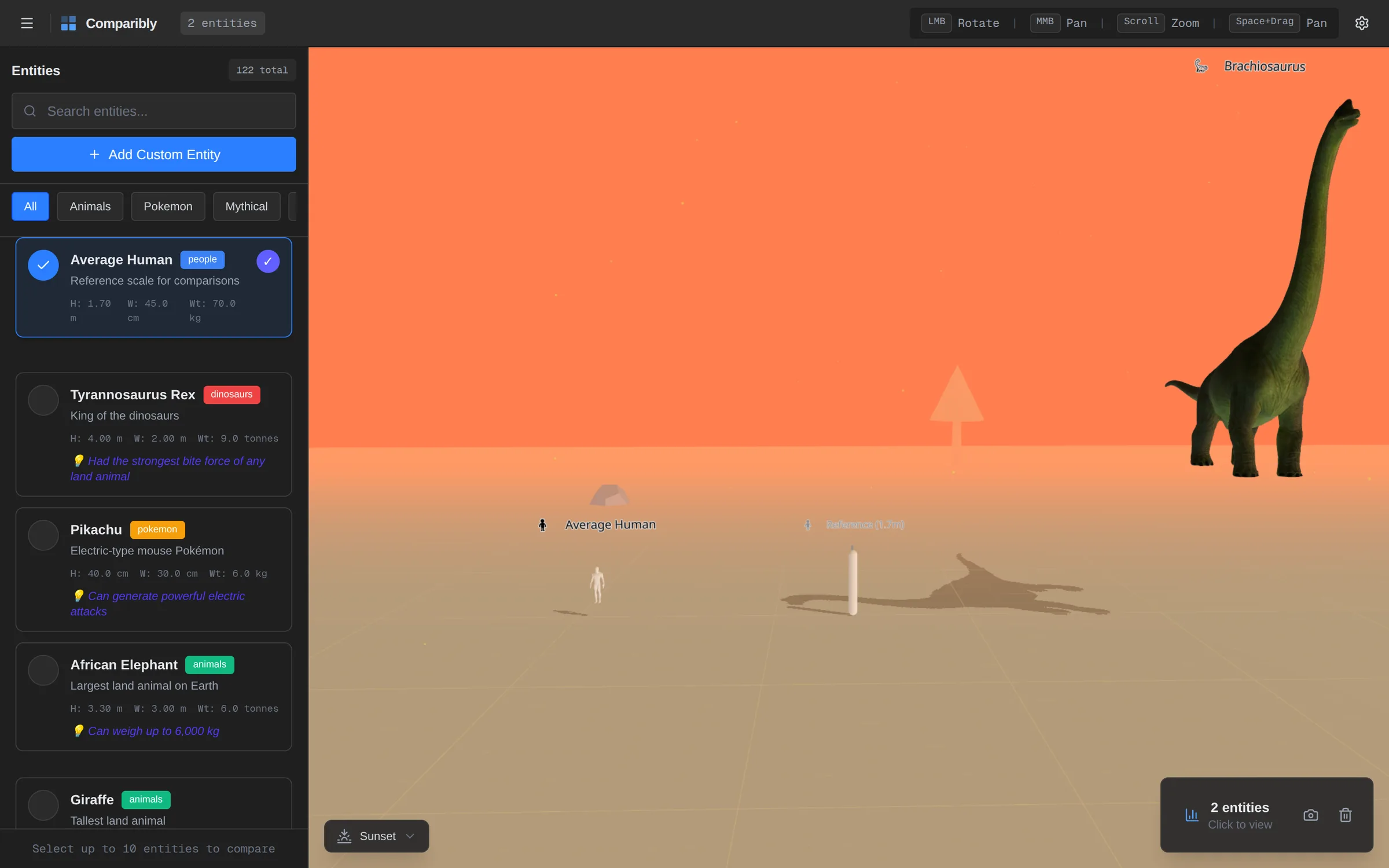
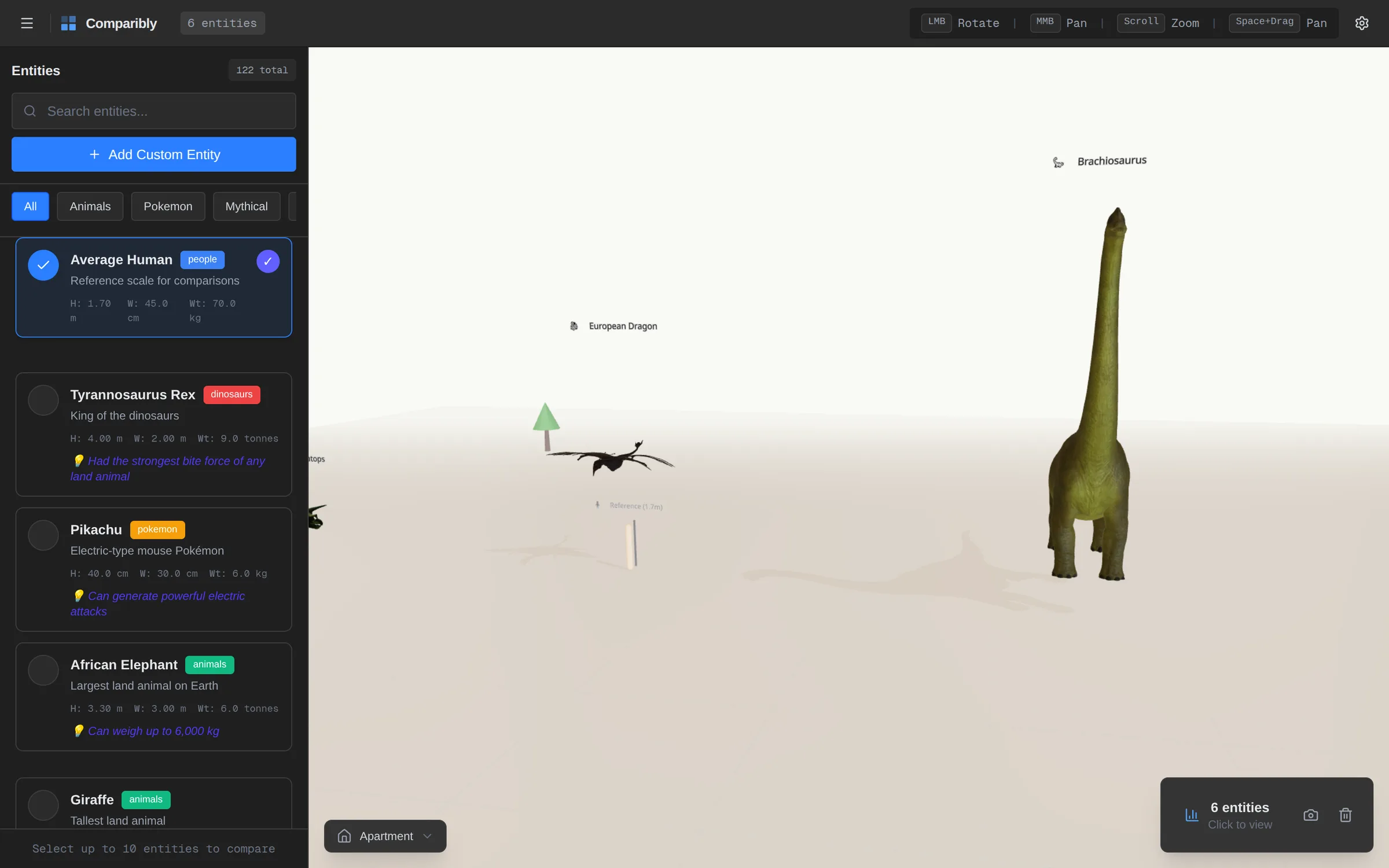
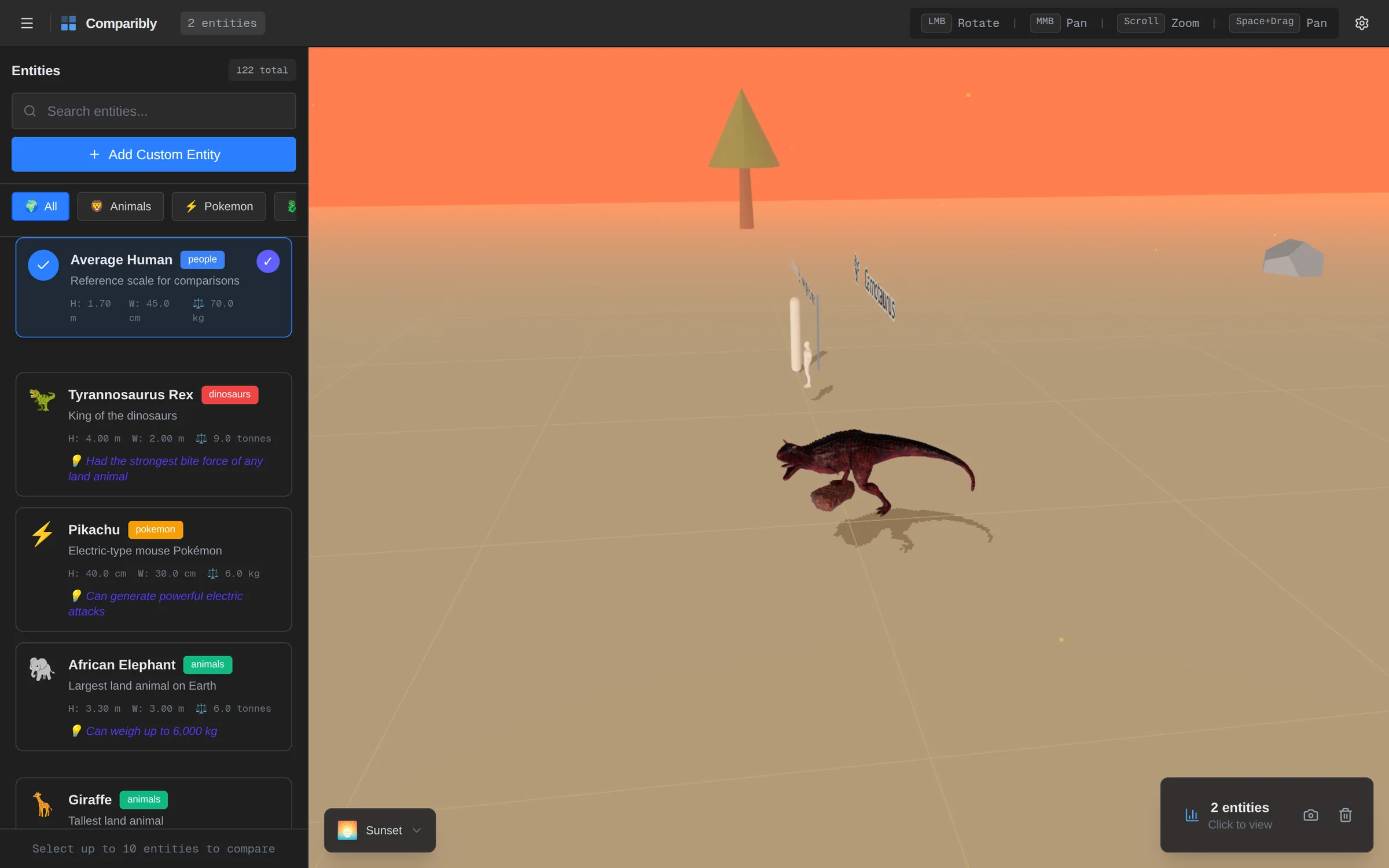
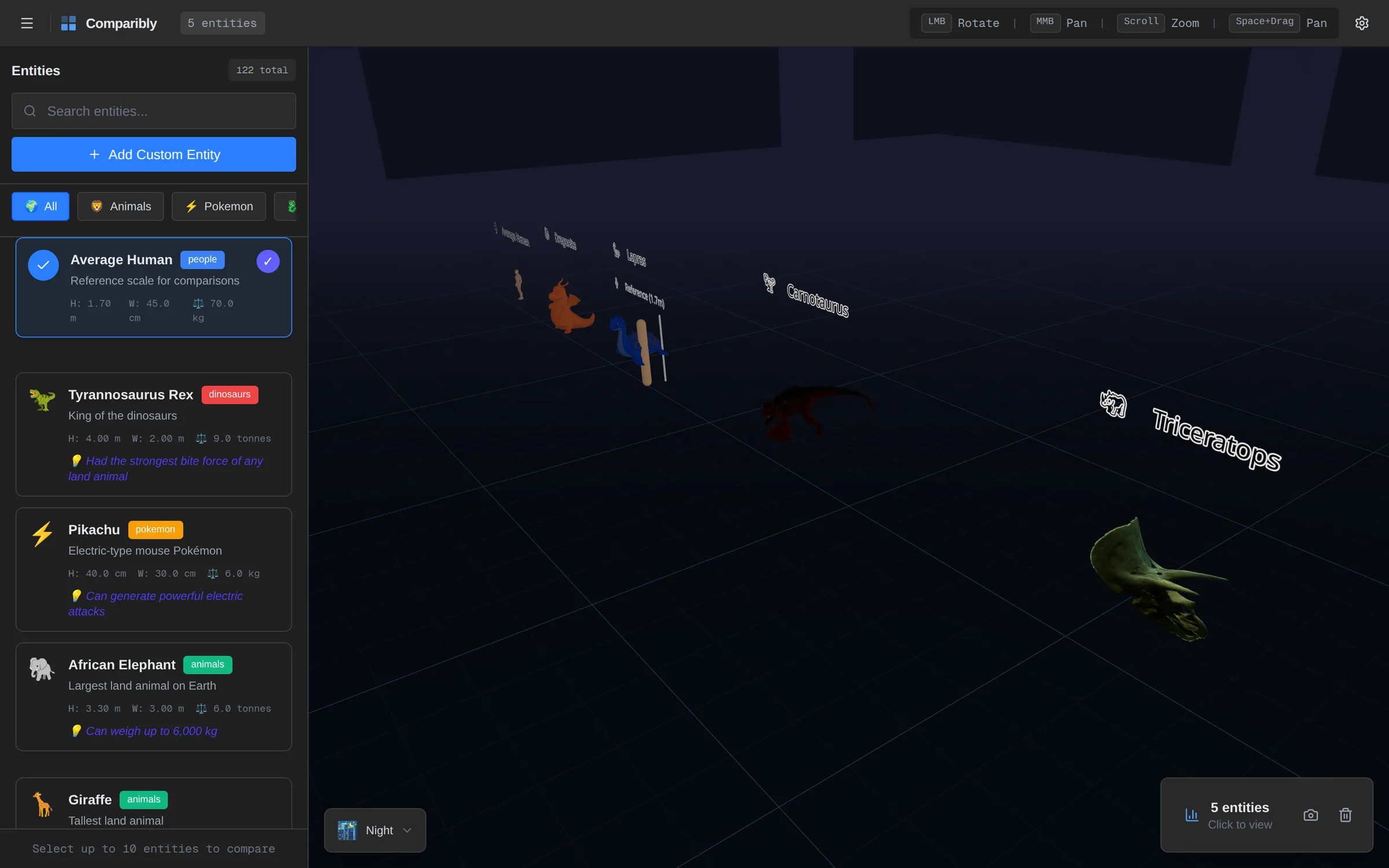
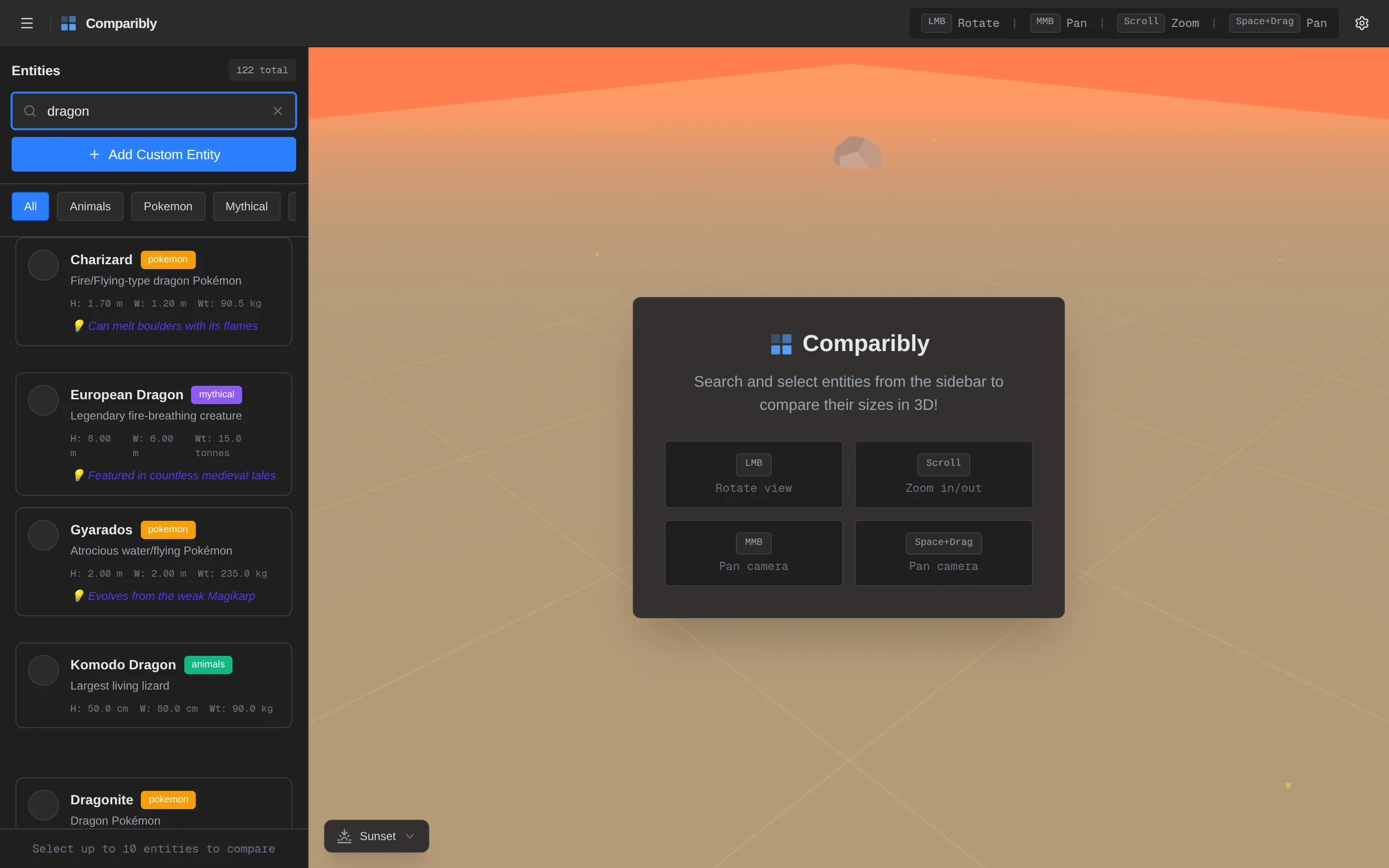
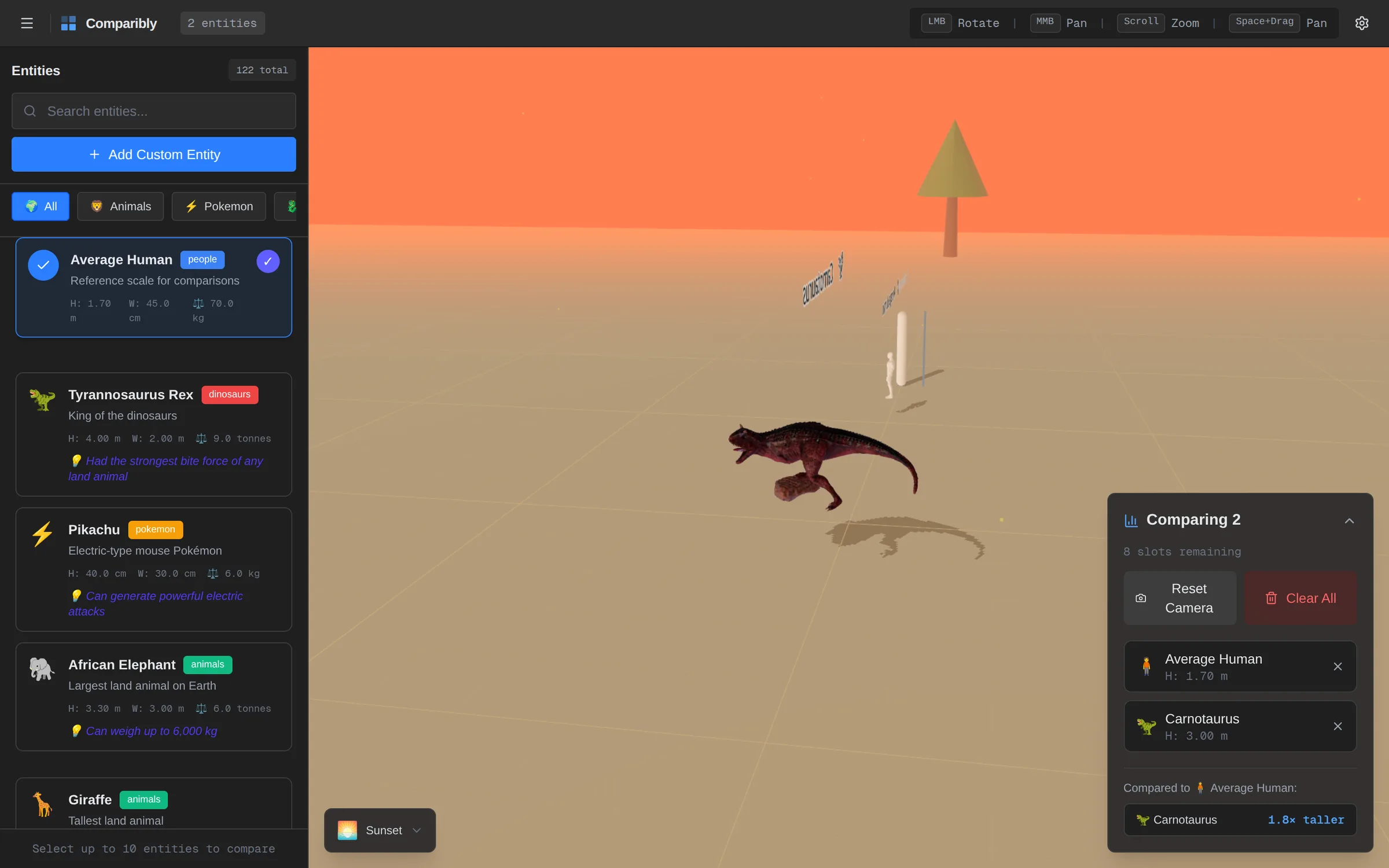
The question the whole app exists to answer: how big is it compared to me?
My son's favorite question is "how big is it, compared to me?", and books can't answer it. So I built him a 3D stage. Pick up to ten things from a database of 122 animals, dinosaurs, Pokémon, mythical creatures and people, and they line up at real scale next to a 1.7 m person. Orbit around them, zoom in, and change the world around them across nine environments. Every screen here is the real build running in the browser.
The Question
My 3-year-old is obsessed with animals and dinosaurs. He loves flipping through books about them, but the pictures never really answer his favorite question: "How big is it... like, compared to ME?" Size is hard to intuit from numbers alone — a Blue Whale is 30 meters long, but what does that actually look like next to a T-Rex? Or a Pikachu? Or a person? Existing comparison tools use flat 2D silhouettes or static images. I wanted to build him something he could actually explore — orbit around, zoom into, and feel the scale difference in 3D space.
This was a fun weekend project born from a dad moment. The core "aha" — the moment that made my son lose his mind — was placing a Pikachu (0.4m) next to a Blue Whale (4.5m tall, 30m long) next to a T-Rex (4m tall) in the same 3D scene, with a permanent 1.7m human figure for reference, and letting him orbit around all of them with the mouse. Watching him point at the screen yelling about how small the cat is next to the elephant made the whole thing worth it.
The Entity Database
122 entities across five categories, each with real-world height, width and weight, plus a fun fact:
- Animals (54): from a bumblebee to a blue whale.
- Pokémon (26): at their official Pokédex heights.
- Mythical creatures (20): dragons, krakens and griffins, sized from folklore.
- Dinosaurs (15): from Velociraptor to Brachiosaurus.
- People (7): from an Olympic gymnast to an NBA player, to show how much humans vary too.
107 of them point to a real glTF model, and the rest fall back to simple shapes in their category's color. Search matches names, tags and aliases, so "dragon" finds Charizard, a Komodo dragon and a European dragon at once. The browser list is virtualized so all 122 cards scroll smoothly.
A Tool, Not a Toy
I wanted it to feel like a real 3D tool that a kid happens to love, rather than a toy. The interface borrows from Blender: dark grays (#1f1f1f, #2b2b2b, #3d3d3d) with one blue accent, monospace measurements, and control hints (orbit, pan, zoom) right in the top bar. For younger users, an emoji mode switches the same interface to something friendlier without redesigning it.
Layout That Does the Work
Placing things of wildly different sizes in one space is harder than it looks. Models have different origins and bounding boxes, and a big one can hide a small one completely. The rules I landed on:
- Up to six entities: one row, sorted by height, with even 3 m gaps, so size reads left to right.
- Seven to ten: a ring, so tall entities never hide the small ones.
- After every change: the camera refits to frame everything.
- One yardstick: every model gets a single uniform scale from its real dimensions, and heights are compared against your first pick ("1.8× taller").
Entities drop in and leave on springs (@react-spring/three), so every change to the lineup reads as motion instead of a jump cut.
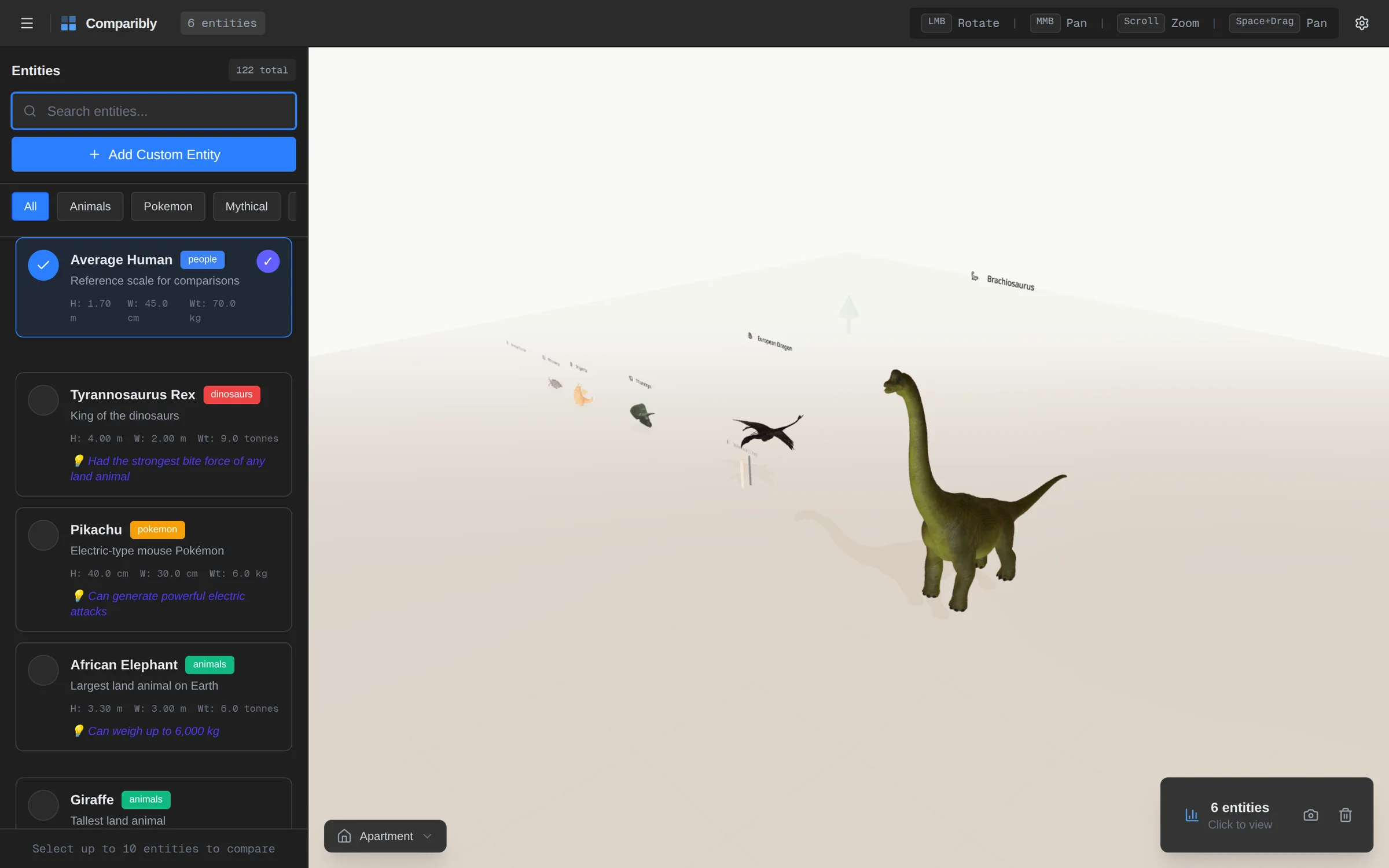
Here's a lineup built from small to huge, then orbited and moved through three environments:
Adding five entities from small to huge, orbiting, and switching environments (44s, sped up from software rendering)
Nine Worlds
The same comparison feels completely different in different places. Each of the nine environments (Sunset, Dawn, Night, Forest, Apartment, Studio, City, Park and Warehouse) sets its own lighting preset, fog, ground, spotlights, a ring of distant props, and optional weather like rain and snow.
Architecture
Four Zustand stores (comparison, UI, camera and settings) keep state out of the 3D scene graph, and React Three Fiber keeps the scene declarative. A Fast, Balanced or Quality setting trades resolution, shadows, particles and weather for frame rate, and shared geometry and material caches keep repeated shapes cheap.
What's Next
Documenting every screen was a good audit. The biggest gap is the models themselves. They were bulk-downloaded by keyword, so a few are the wrong subject entirely, some are only a skull or a skeleton, and 15 favorites (T-Rex, Pikachu, an elephant, a giraffe) still use placeholder shapes. Curating those is next, along with a few interaction fixes: labels that face the camera, a search box that accepts spaces, and a loading state that doesn't blank the scene while a new model streams in.
In 2D you have x and y. In 3D, with models of different sizes and origins, you're juggling bounding boxes, camera angle, occlusion and ground contact. A simple layout became a small spatial algorithm.
Fog and weather don't change anyone's size, but a dragon next to a person in a misty forest lands very differently than in a blank void.
The code was the easy part. What makes the app delightful or disappointing is whether the model on screen looks like the thing my son asked for, and that needs curation, not more code.